Quick answers
Card compatibility
Which cards work with Alipay?
Link a supported foreign bank card directly from Me → Bank Cards → Add bank card. The card choices shown in your app and your issuer's approval are the final check, so complete setup from home and carry a backup payment method.
Which setup fits you
Scenario → payment setup
The direct card-binding flow is the same starting point for most visitors. Your trip length and the features you need determine whether it is enough.
Step 0 · Before you start
Get these ready first
Two minutes of prep saves trouble later. Do this at home, before you fly.
The 5 setup steps
Set up Alipay before you fly
Do them in order, then tick each one off as you go.
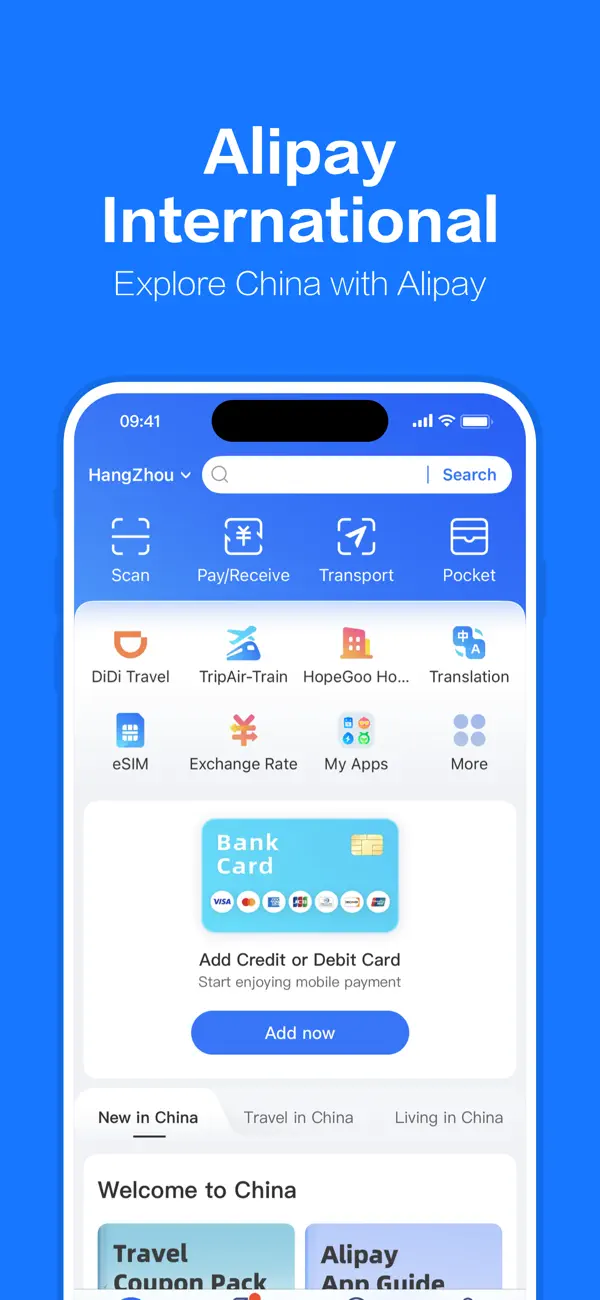
Download the Alipay app
Tap the link for your device to go directly to the official listing, then install.
A blue app icon on your home screen and the Alipay welcome page.
- ›The app is free to download and free to open an account.
- ›Check the publisher reads "Ant Group" to avoid look-alike apps.
Create an account with your phone number
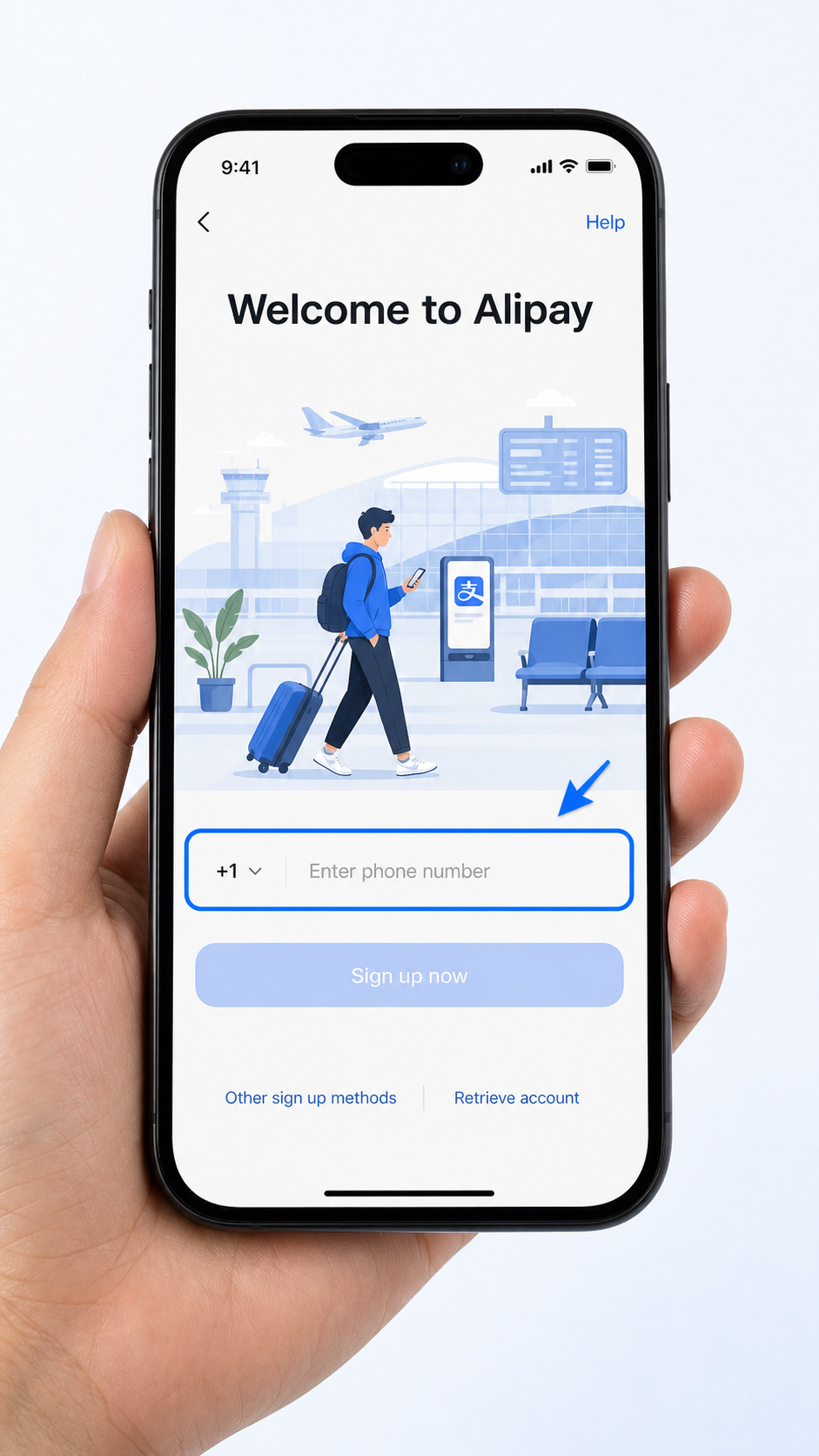
Open the app, choose your country code, enter your home phone number and the SMS verification code. Choose the Tourist / International option when prompted.
A country-code selector followed by a one-time SMS verification screen.
- ›Use your home-country number — you do not need a Chinese SIM.
- ›If you see a mainland China account option, skip it and choose the international path.
Verify your identity with your passport
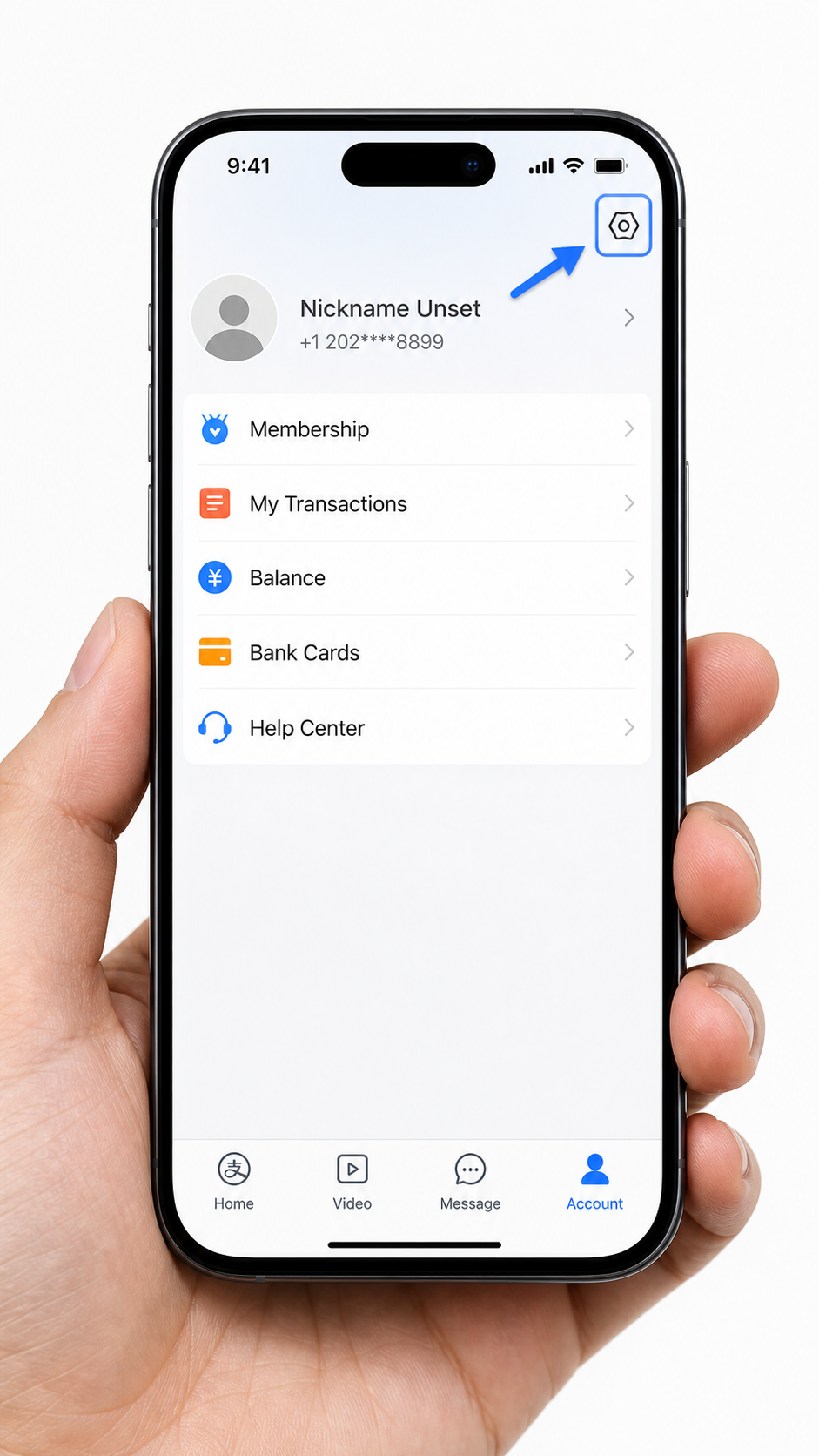
Tap Me, then identity verification. Scan your passport photo page and take a short selfie.
A document-scan screen followed by a face-movement prompt.
- ›The camera scan works best in bright, even light — avoid direct sunlight on the passport.
- ›The selfie uses liveness detection: follow the arrow or blink prompts on screen.
- ›Finishing KYC at home avoids being interrupted mid-checkout in China.
Add your foreign bank card
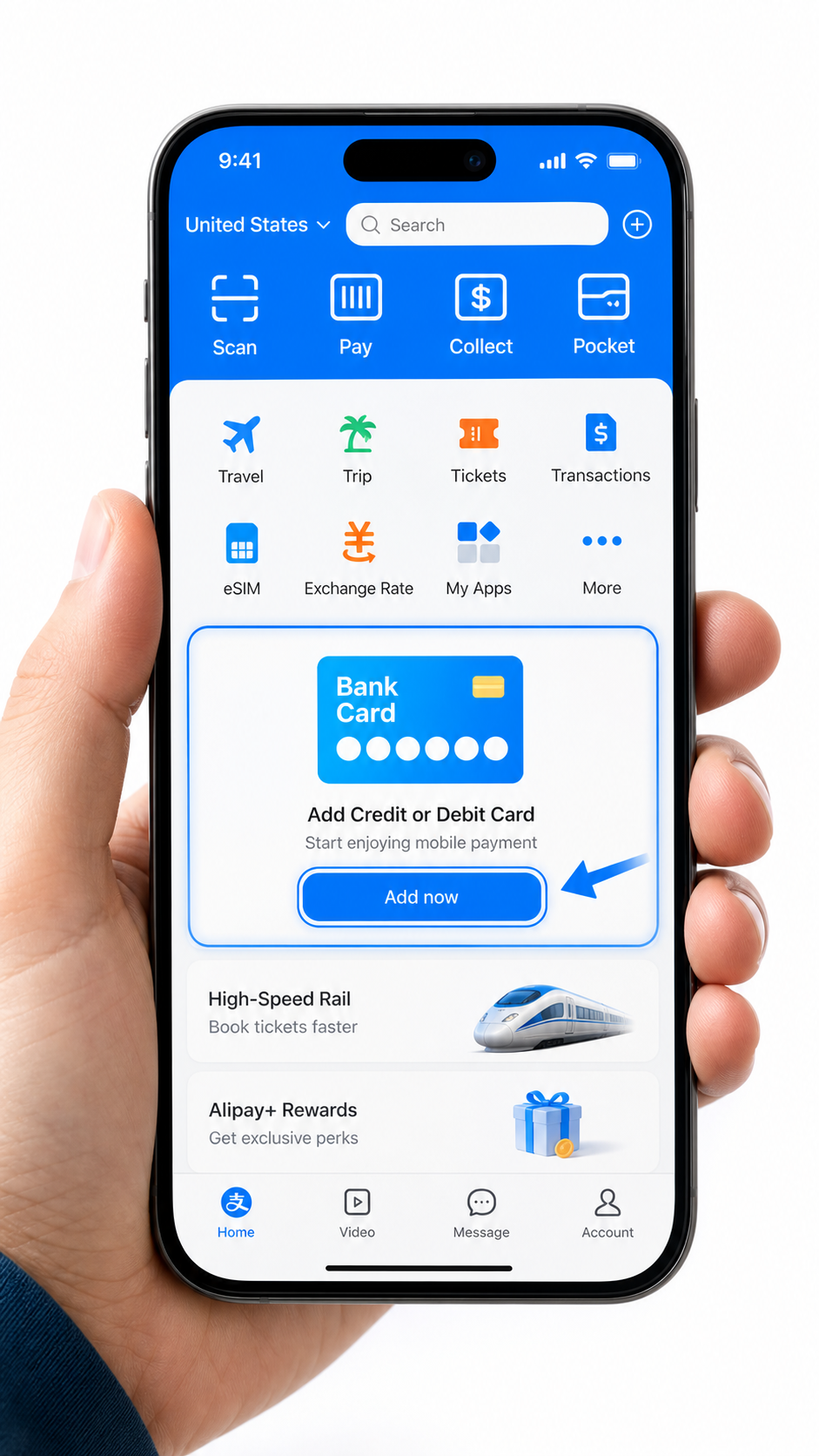
Open Me → Bank Cards → Add bank card, then enter the details for a supported foreign credit or debit card. Menu wording can vary slightly by app version.
A card-entry form followed by a one-time code from your bank.
- ›Visa and Mastercard are commonly listed. For other networks, use the options displayed on your Add bank card screen as the current source of truth.
- ›Issuer rules vary even when a card network is supported. Tell your bank you are traveling and enable international online transactions.
- ›Virtual and prepaid cards may fail KYC — use a physical card.
Run a small test payment
Make a tiny purchase or test payment to confirm your card works before you leave home.
A confirmation screen with a green tick and the payment amount.
- ›If the payment fails, your card issuer likely blocked the transaction — unblock international payments inside your bank app.
- ›For street stalls and small shops, "Pay" (show your code) is usually faster.
- ›Save in-app support (Me then Help) before you leave — English chat is available 24/7.
If something goes wrong
Common problems and fixes
Most issues have a quick fix. Try these before switching to cash.
Step 6 · Two ways to pay
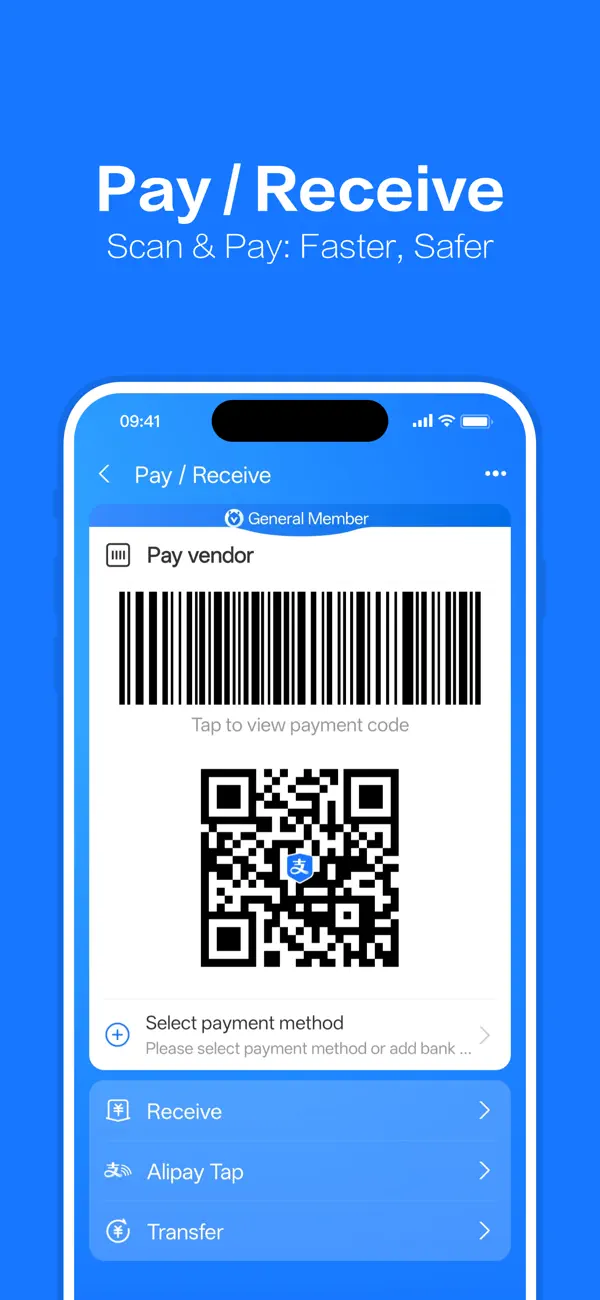
Scan their code, or show yours
Once your card is linked, most payments follow one of these two motions. Learn both so you can handle restaurants, taxis, shops, and posted QR codes without guessing at the counter.
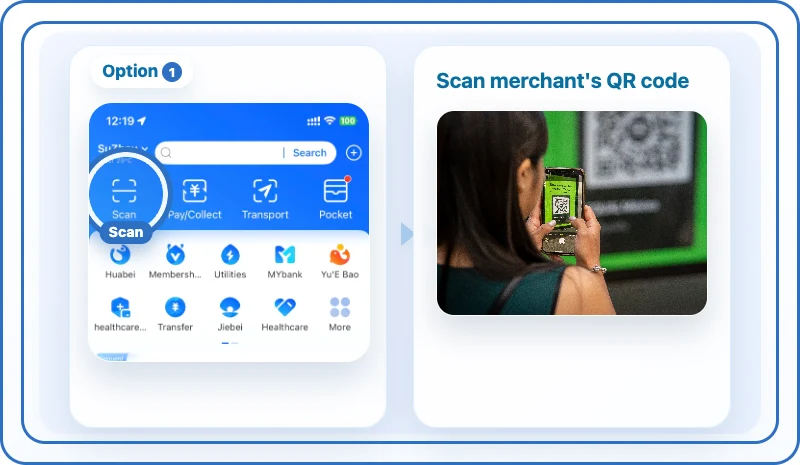
Scan to pay
For posters, menus and bigger stores. Tap Scan, point at the merchant's QR, type the amount, confirm.
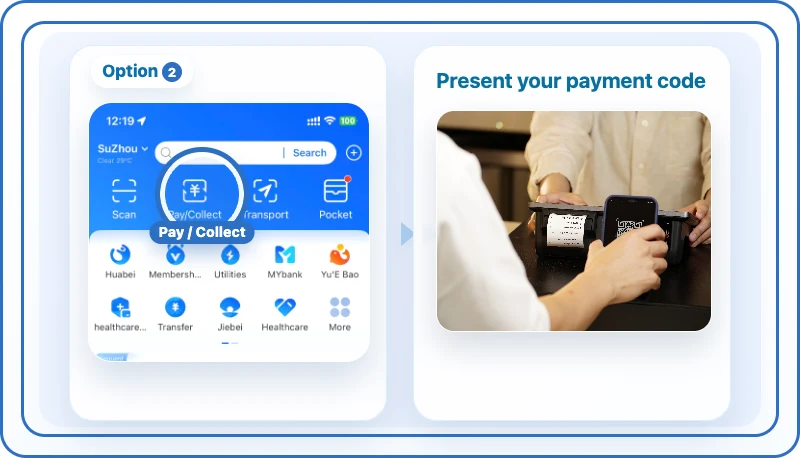
Show your code
For small shops and markets. Tap Pay, show the cashier your code, they scan it — payment is instant.
WeChat Pay · Essential backup
Set up WeChat Pay as a backup
Some merchants only accept WeChat Pay. Set it up in parallel so you have a backup when Alipay, a card issuer, or a merchant QR flow fails.
Where it works
Alipay works in many everyday places in China
Once the app is set up, it covers many everyday payments on a China trip, especially in cities.
Why this matters
What you need to know about Alipay for foreigners
- ✓China is highly QR-payment oriented — street stalls, taxis, metro gates, and restaurants often expect Alipay or WeChat Pay. Cash can still work, but it is less convenient in many travel situations.
- ✓Reality check — acceptance is not 100%. Travelers commonly report foreign-card failures on personal transfer QRs (the private codes some stall owners use, as opposed to printed merchant codes), inside domestic-only mini-programs and city services, and at counters that only take Chinese bank accounts. If a payment fails twice, switch to WeChat Pay or cash instead of retrying the same code.
- ✓Alipay or WeChat Pay? Set up both, lead with Alipay: its foreign-card onboarding is the smoother of the two, while WeChat Pay is the fallback that saves you at merchants where Alipay fails — and the only option inside WeChat-based mini-program bookings.
Common questions
Questions tourists ask
Published:
How we compare providers
- We list eSIM providers that publicly advertise a China-mainland plan and either route through international gateways or document VPN-like behavior.
- Prices, data caps and validity copy come from the provider's own product page. We mark every record with a "last checked" date and re-verify before each report cycle.
- We never claim that a provider definitely bypasses China's firewall. We describe what the provider documents and what travelers consistently report. Travelers should still install a backup VPN before leaving home.
- Affiliate status is disclosed on every commercial link. We do not change provider ordering for higher commission. Provider ranking is based on price, transparency, hotspot support and traveler feedback.
Sources
- Alipay International — foreign card setup for travelers— Ant Group· Reviewed 2026-06-25
- Guide to Payment Services in China— Embassy of the People's Republic of China in the UK· Reviewed 2026-06-26
- How to seamlessly pay like a local in China— Shanghai Municipal People's Government (english.shanghai.gov.cn)· Reviewed 2026-07-10
- China to further facilitate foreigners' payment in China— State Council of the PRC (english.www.gov.cn)· Reviewed 2026-07-26
- WeChat Pay — foreign card support— Tencent· Reviewed 2026-08-26
Last updated:
Keep going