Same travel line, opposite Netflix results
On the same kind of Trip.com travel line, one report: evening Netflix played. Another: login worked, then a region-unavailable message except for titles already on the phone. Two reports, they disagree.
No mainland Netflix. Hong Kong, Macau and Taiwan are separate markets. Download at home for the plane.
Mainland China is not on Netflix’s official service region list.
Hong Kong, Macau and Taiwan are listed as separate Netflix markets from the mainland.
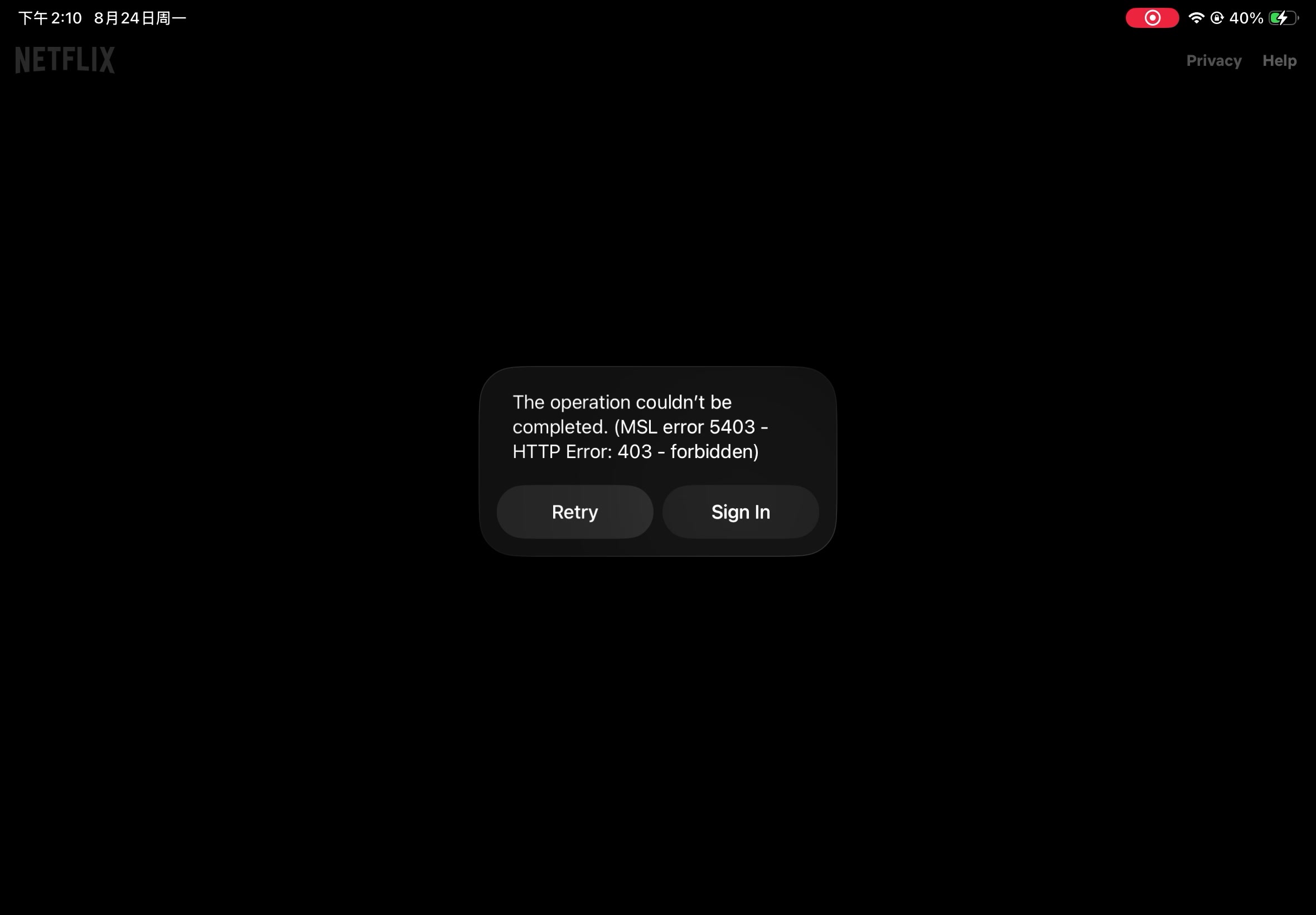
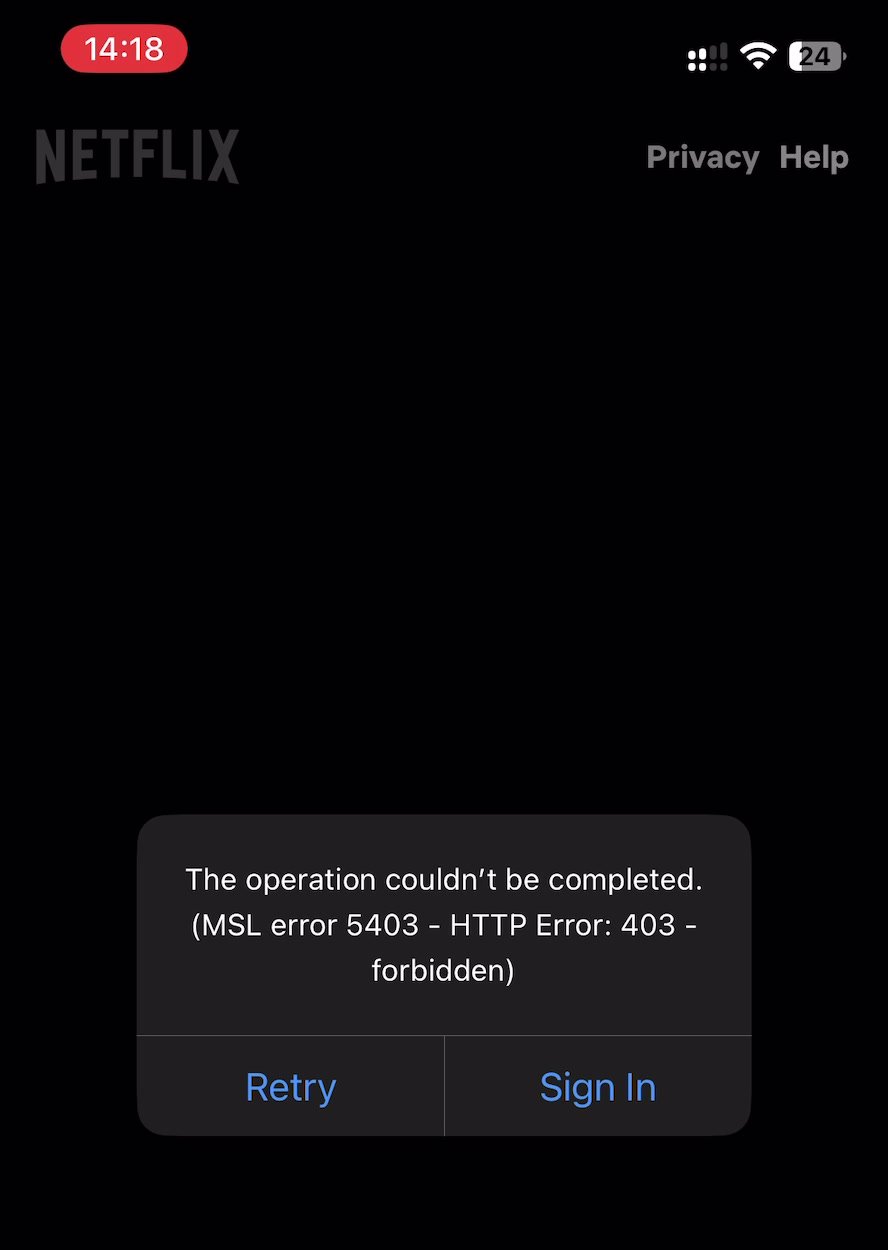
iPhone on mainland Wi‑Fi, tunnel off — the app returned HTTP 403.
Checked by YouChina · 24 Aug 2026
| Option | What reports say | What to do |
|---|---|---|
| Travel eSIM | Mixed | Activate the line before you leave; streaming follows the country that line appears in. |
| Home-carrier roaming | Mixed | Check whether the plan includes mainland China and which country the line presents as — that country sets the catalogue. |
| Hotel or café Wi-Fi | No | Mainland networks including hotel Wi-Fi do not open Netflix — the app returns 403. Use a reliable foreign-network path to watch. |
| VPN | Yes | A reliable VPN plays Netflix. The catalogue is the country the VPN is in. Compare VPN options for China. |
| Offline files made at home | Partially | Plays with no connection, but only titles opened once at home; Help says they may not be available abroad. |
Travel eSIM
Home-carrier roaming
Hotel or café Wi-Fi
VPN
Offline files made at home
Travel eSIM: Traveler reports: same travel eSIM, opposite Netflix results · How to see all TV shows and movies available in your country (in Chinese)
Home-carrier roaming: How to see all TV shows and movies available in your country (in Chinese)
Hotel or café Wi-Fi: YouChina Netflix check — 24 August 2026 · Traveler reports: same travel eSIM, opposite Netflix results
VPN: YouChina owner practice — reliable VPN for Spotify and Netflix on the mainland
Offline files made at home: Using Netflix outside of your home
Open the Netflix app on a phone or tablet — Help does not list a web browser. Ad-free plans: up to 100 active titles at a time per device. Ad-supported plans: 15 total per device per calendar month.
In the app: My Netflix → your profile → App Settings. Download Video Quality is Standard (SD) or High/Higher (up to 1080p / HD). Wi-Fi Only waits for Wi-Fi; on Android and Fire, new files can go to an SD card and existing titles stay put.
On your home connection, open the app and play each saved title for a few seconds. Stay signed in — Help says you need to stay signed in to watch offline.
Pitfalls 1
In the hotel, the file on the phone will not play
The assumption was “it’s on my phone, so it will play”. Netflix Help: titles already on the phone may not be available in another country.
Open every saved title once on your home connection and stay signed in.
Pitfalls 2
Your show is missing from the list
A travel line will not keep your home catalogue.
Help describes watching outside the country you signed up in. Inside the EU the home catalogue can linger for a limited time; China is outside the EU. Streaming then follows the country you are in now, not the home catalogue.
Finish the episodes you care about on files already on the phone. A travel line does not keep the home catalogue — see the reports below.
Public forums, not rules
On the same kind of Trip.com travel line, one report: evening Netflix played. Another: login worked, then a region-unavailable message except for titles already on the phone. Two reports, they disagree.
Hotel or local Wi-Fi is the path that dropped Western video. Evening Netflix that played was on a travel line, with the phone never joined to hotel Wi-Fi. Roaming reports: the stream died when the phone auto-joined hotel Wi-Fi. Three posts, small sample.
Public forums, not rules.
Help: titles already on the phone expire after a certain amount of time. No published hour or day count — check the status icon in the app. You can watch a title as many times as you like before it expires. Some titles have a yearly cap on how many times they can be saved or renewed. If one expires, Help says delete it and get it again; that renew step needs a country where Netflix still offers the title. Help lists the app — not a browser — on Android, iPhone or iPad, Fire tablet, and Chromebook with the Play Store.
Help describes watching outside the country you signed up in. The catalogue is the one for the country you are in now, including audio and subtitle options. Help does not list a mainland China catalogue, so a Hong Kong signup does not keep Hong Kong titles on a mainland connection.
Help: choices for streaming, including audio and subtitles, vary by country. Help does not name a country for a China roaming path. My List and Continue Watching titles may not be available.
No. Mainland China is not on Netflix’s official service region list; Hong Kong, Macau and Taiwan are listed as separate markets.
Updated: