Uber does not book mainland China rides. Choose the official DiDi China app or DiDi Travel inside Alipay, then follow this guide from download to pickup, payment and customer support.
The fastest decision is simple: install the official China version of DiDi, or open DiDi Travel inside an Alipay account you have already prepared. Keep an official metered taxi as the no-app fallback.
Use the exact China listing. The official store description supports English, international mobile-number registration, international bank cards, bilingual driver messages and 24/7 in-app English customer service.
Standalone app
Best for a complete DiDi account
Install this before departure. A Japan or Latin America DiDi app is not the China listing, and account reuse is not officially confirmed.
The local DiDi app is not the China listing. Register or sign in with your international number; reuse of a local-market account is not officially confirmed.
If Alipay is not ready, complete passport verification and card setup in the Alipay guide before relying on this route.
1
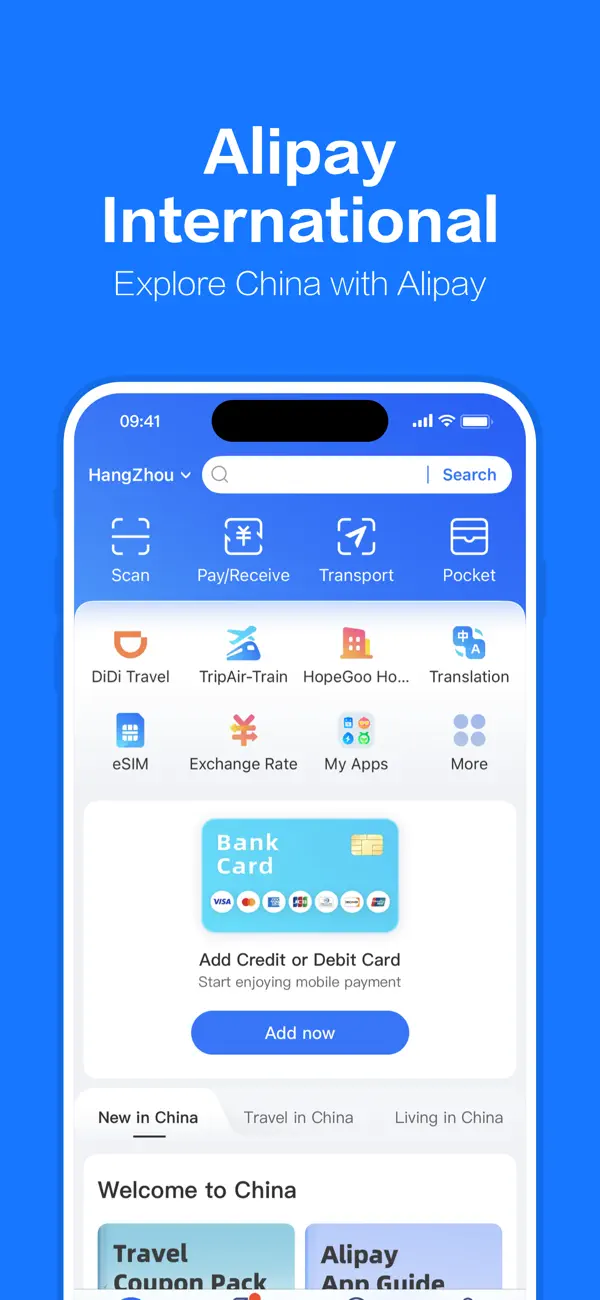
Open Alipay and tap “DiDi Travel”
DiDi Travel in the Alipay app grid.
Find DiDi Travel in the app grid or search for it.
2
Set pickup and destination
Check the pickup pin. If an English place name fails, paste its Chinese address or place a precise pin.
3
Choose a car and review the estimate
Compare the options and read the in-app fare breakdown.
4
Match the license plate before boarding
Check the car model, color and plate. Do not enter a car that does not match.
5
Message the driver if pickup is unclear
Use the bilingual message function instead of relying on a phone call.
During and after the ride
Driver, route, fare or lost-item problems
The China app offers 24/7 in-app English customer service. Open the relevant trip, keep the receipt and screenshots, and ask for a review. A review does not guarantee a refund or item recovery.
The app opens, but you cannot request a ride.
Why it may happen: You installed a Japan or global-market app.
What to do: Install “DiDi: Ride Hailing in China,” select mainland China, then sign in with your international number.
Your home-market account is not recognized.
Why it may happen: The official sources do not confirm transfer into the China app.
What to do: Use the China app login or registration flow; do not assume the old account must transfer.
Your card is rejected.
Why it may happen: The card or issuer verification may not work for this transaction.
What to do: Try another eligible international card or use DiDi inside a prepared Alipay account.
The driver calls and you cannot explain the pickup.
Why it may happen: The map pin did not make the meeting point clear.
What to do: Send a translated in-app message with a landmark or exact gate.
The route or fare looks wrong.
Why it may happen: The pickup, route, tolls or final charge needs a trip-specific review.
What to do: Open the trip, save screenshots and the receipt, and ask in-app support to review it.
You left something in the car.
Why it may happen: Support needs the completed trip to identify the driver.
What to do: Contact in-app support quickly with the ride time, route and item description. Recovery is not guaranteed.
Ride-hailing zones may be on another floor or separate from the taxi queue. Check the zone after booking.
Use the official taxi queue if DiDi fails
Show your destination in Chinese and keep yuan or a prepared Alipay payment method available.
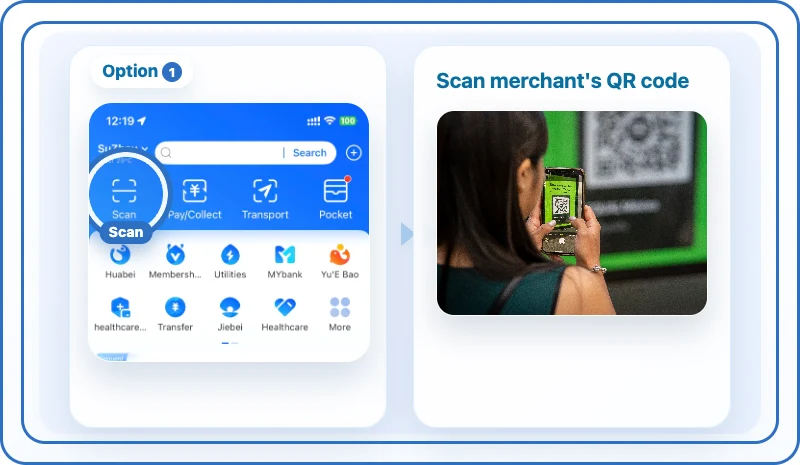
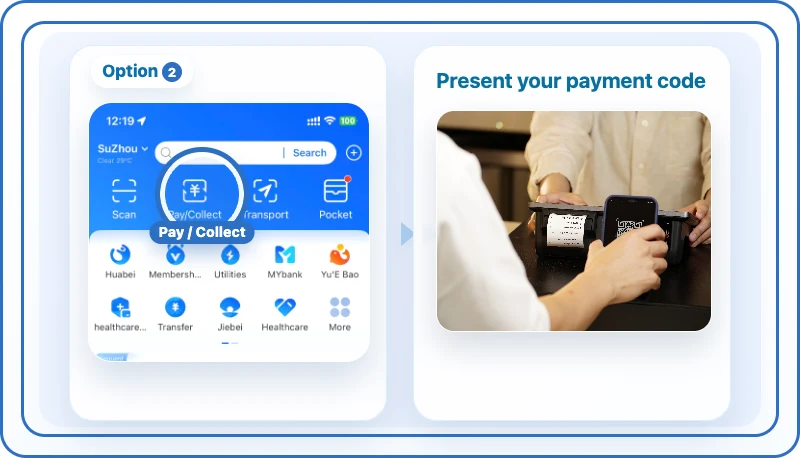
Taxi fallback: scan the driver’s Alipay QR code.Alternative: show your Alipay payment code.
FAQ
Frequently asked questions
No. Use the official DiDi China app, DiDi Travel inside Alipay, or an official taxi.
Choose “DiDi: Ride Hailing in China,” not a Japan or local Latin American version.
The official China listing supports international mobile-number registration.
The listing supports international cards, but acceptance of every card is not guaranteed.
Open the relevant trip and use the app’s 24/7 English customer service.
Save the receipt and screenshots, then request a trip review. A refund is not guaranteed.
Contact support from the completed trip as soon as possible. Recovery is not guaranteed.
Check the pickup pin and car options, or use the official taxi queue.
Background — after the practical guide
Why Uber does not book mainland China rides
Uber merged its mainland China ride-hailing business into DiDi in 2016 and exited standalone mainland service. This is a market exit, not a network block, so a VPN does not restore rides.
If you already use DiDi in another country
Japan: GO, S.RIDE and Uber Japan
The Japan DiDi app cannot be used in China. Replace it with the China app; account transfer is not confirmed.
South Korea: Kakao T and UT
Use DiDi’s in-app translated messages rather than assuming the same workflow as a Korean app.
France and Francophone markets: Uber, Bolt and G7
Choose between the China app and the Alipay mini-program. Official card support does not guarantee every card.
Spain and Latin America: Local DiDi and Uber
The China app and local DiDi apps are different. Account reuse is unconfirmed and China rides are shown in CNY.
Germany, Austria and Switzerland: Free Now, Uber and Taxi.eu
The Alipay route reduces extra app setup. Your card issuer determines any foreign-exchange fee.
Hong Kong and Macau are separate markets
Availability in Hong Kong or Macau does not mean Uber works after crossing into mainland China. Check the app directly before relying on it there.